Google has made it clear that page experience helps determine search rankings. Core Web Vitals serve as the specific scorecard Google uses to measure how fast and smooth your website feels to actual homeowners. For roofing companies fighting for spots in local map packs and organic search results, these metrics often separate the market leaders from the sites that get ignored.
We see this scenario play out constantly in the home services industry. A roofing business invests heavily in a site that looks fantastic on a desktop in a fiber-optic office but falls apart on a smartphone using a 4G connection. Understanding and optimizing your Core Web Vitals is no longer optional if you want your roofing website to compete.
What Are Core Web Vitals?
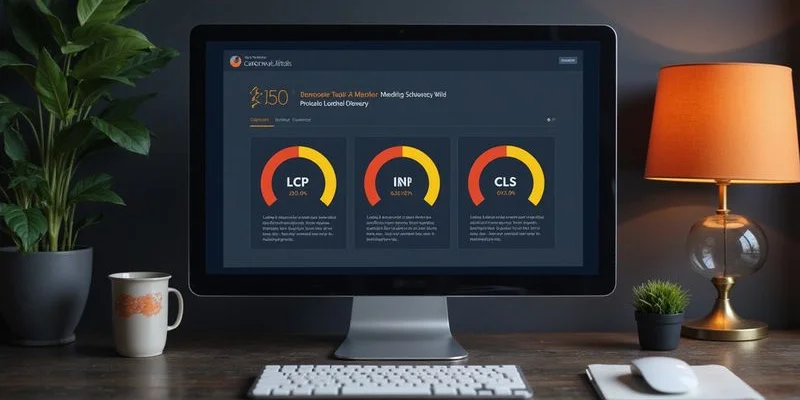
Core Web Vitals consist of three distinct performance measurements. Google uses these to evaluate the specific user experience of your pages. Each metric captures a different part of the visitor’s journey, from the moment the page starts loading to when they try to click a button.
We have broken down the specific benchmarks you need to hit in the table below.
| Metric | What It Measures | The “Good” Score Target | The Danger Zone (Poor) |
|---|---|---|---|
| LCP | Loading Speed | 2.5 seconds or less | Over 4.0 seconds |
| INP | Responsiveness | 200 milliseconds or less | Over 500 milliseconds |
| CLS | Visual Stability | 0.1 or less | Over 0.25 |
Largest Contentful Paint (LCP)
LCP measures the time it takes for the largest visible element on your page to fully render. This is almost always your hero image, the main headline, or a video background at the top of the site.
We find that for roofing websites, the hero image is the usual suspect for poor LCP scores. You might have a stunning, high-resolution photo of a slate roof project, but if that file is 4MB, it will destroy your load time. Google requires this element to load in under 2.5 seconds.
Optimization is critical here. If you rely on a full-width photo as your hero image, it must be compressed and served in a modern format like WebP or AVIF. Failing to optimize this single asset can drag your score down to the “Poor” range immediately.
Interaction to Next Paint (INP)
INP replaced the older First Input Delay metric to measure how responsive your page is during a user’s visit. It captures the delay between a visitor’s action—like tapping a “Get a Quote” button—and the browser’s visual response.
We often see roofing websites struggle with INP due to heavy third-party tools. These include:
- Complex chat widgets that load immediately.
- Heavy JavaScript frameworks for animations.
- Form validation scripts that block the browser’s main thread.
That click-to-call button needs to work instantly. If a homeowner taps “Call Now” and nothing happens for half a second because a JavaScript bundle is still unpacking, they will likely assume the site is broken and leave.
Cumulative Layout Shift (CLS)
CLS measures visual stability to ensure the page doesn’t jump around while loading. You have likely experienced this frustration yourself when reading a news article, only to have an ad load and push the text down right as you were scrolling.
We analyze CLS by looking for elements that load without defined dimensions. Common culprits on roofing sites include:
- Before-and-after image sliders that resize after loading.
- Review widgets that pop in late and push the footer down.
- Custom web fonts that flash or resize text once they download.
Common Core Web Vitals Problems on Roofing Websites
Roofing websites tend to share a specific set of performance bottlenecks. Knowing exactly where to look allows for faster diagnosis and repair.
Oversized Images and Drone Footage
This stands as the number one performance killer we encounter in the roofing industry. Modern drone photography is excellent for sales, but those raw 4K video files or 10MB image files are disastrous for web performance. When these assets are uploaded directly without processing, they force the user’s phone to download massive amounts of data before showing anything.
We recommend a strict protocol for all visual assets.
- Compress everything: Use tools like TinyPNG or Squoosh to reduce file size without losing quality.
- Use next-gen formats: Convert standard JPEGs to WebP or AVIF, which can save 30-50% in file size.
- Size correctly: Never upload a 4000-pixel wide image if the website container is only 1200 pixels wide.
Heavy Website Builder Frameworks
Many roofing companies rely on drag-and-drop website builders that inject massive amounts of code. A simple service page explaining “Asphalt Shingle Repair” should not require two megabytes of JavaScript to function. Unfortunately, many popular builders load their entire library of features on every single page, regardless of whether you use them.
We suggest moving toward lightweight frameworks or custom solutions when possible. A streamlined site loads only the CSS and JavaScript required for that specific page. The difference in speed between a bloated template and a lean, purpose-built site is often the difference between a 3-second load and a 0.8-second load.
Third-Party Script Overload
Chat widgets, heat mapping tools (like Hotjar), tracking pixels (like Meta Pixel), and social media feeds all tax your website’s performance. Each one creates a new network request and demands processing power from the user’s device. While these tools offer value, stacking five or six of them on a homepage will severely impact your INP and LCP scores.
We advise conducting a quarterly audit of these scripts.
- Remove unused tools: If you haven’t looked at the heat map data in six months, remove the script.
- Defer non-essentials: Load chat widgets only after the main content has finished loading.
- Load on demand: Consider setting review widgets to load only when the user scrolls down to that section.
How to Test Your Core Web Vitals
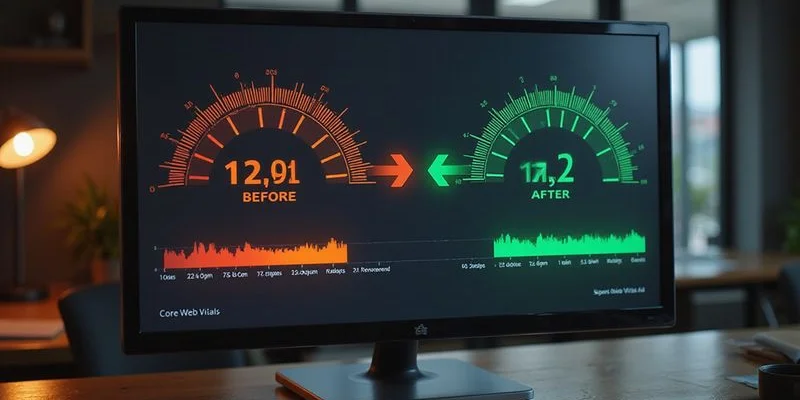
Google provides several free, authoritative tools to measure these metrics. Start your analysis with Google PageSpeed Insights (PSI). This tool breaks down performance for both mobile and desktop users, offering specific code-level recommendations.
We always check the “Real User Experience” section first. This data, known as the Chrome User Experience Report (CrUX), shows how actual visitors are experiencing your site, rather than just a simulated test.
Google Search Console provides another critical layer of data under its “Experience” tab. This report highlights groups of pages that are failing similar metrics. It categorizes your URLs into “Good,” “Needs Improvement,” or “Poor,” helping you prioritize which service pages need immediate attention.
Chrome DevTools offers a deep look for technical debugging. You can simulate a slower 4G connection in the “Network” tab to see exactly how your site loads for a user with poor signal. This helps identify which specific files are blocking the main thread and causing INP issues.
Optimization Techniques That Work
Focus on the high-impact actions that move the needle quickly. Image optimization is often the “low-hanging fruit” that yields the biggest LCP improvement for the least amount of effort.
We also recommend implementing lazy loading for all images below the fold. This tells the browser to delay loading images that are off-screen until the user actually scrolls near them. This prioritizes bandwidth for the hero section, which is the only thing the user sees initially.
Technical Tweaks for Speed
Beyond images, there are server-side changes that make a massive difference.
- Preload Critical Assets: Add a line of code to tell the browser to fetch your hero image and main font file immediately. This prevents the browser from waiting until it parses the CSS to start downloading these essential files.
- Enable Browser Caching: Configure your server to tell visitors’ browsers to save files like your logo and stylesheets locally. Returning visitors will see your site load almost instantly because they don’t have to download the basic structure again.
- Use a Content Delivery Network (CDN): Services like Cloudflare copy your website’s files to servers around the world. A homeowner in Dallas will download your site from a Texas server rather than one in New York, shaving precious milliseconds off the load time.
The Connection Between Speed and Leads
Faster websites simply generate more phone calls. This reality is backed by data, not just intuition. Research consistently proves that bounce rates spike dramatically as load times increase—often jumping over 30% when a page goes from 1 second to 3 seconds.
We ask clients to view this through the eyes of a stressed homeowner. Their roof is leaking during a storm, and water is dripping onto their hardwood floors. They search for “emergency roof repair” on their phone. Your site takes five seconds to load while they watch a spinning wheel. Your competitor’s site loads in two seconds. They will call the competitor.
Optimizing your Core Web Vitals is a direct investment in your website’s ability to generate leads. It supports your SEO efforts, keeps users on the page, and drives the conversion metrics that matter most to your bottom line. Prioritize speed, test your changes, and treat performance as a fundamental part of your customer service.